EPA Standards Miss Many Chemicals in Drinking Water, Study SaysMore

Συχνές ερωτήσειςερωτήσεις
Όλες οι απαντήσεις μας σε ένα σημείο — αναζητήστε σε όλες ή ανοίξτε ένα θέμα και διαβάστε το από την αρχή.
Water Quality
13 questionsFAQs
1 questionSetup
2 questionsThe TDSBot is installed via an iOS or Android app. The latest version is 2.4.3b122.
After installing the TDSBot App and
connecting your TDSBot device to your water filter system, follow the below
mentioned steps to complete the setup.
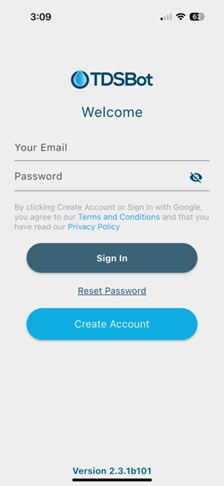
1] Create a new account either through the app or desktop.
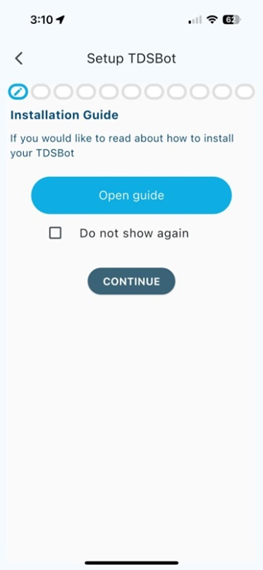
2] Click on + Add New Device (bottom left on the screen). The next screen is the first step. This process should not take more than a few minutes. Next you can see the hardware install guide. Clicking on Open guide launches the guide in your browser. If you do not want to see the guide, click on < Continue>.
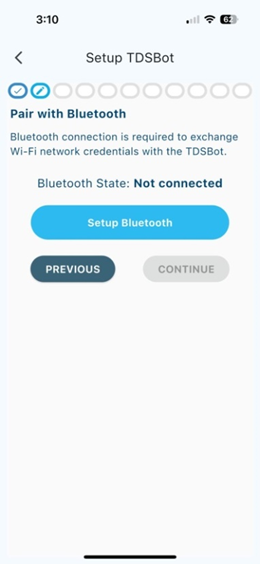
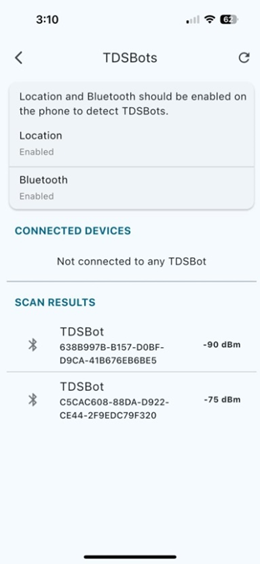
3] The next screen shows whether Bluetooth is connected and if not, we will pair the TDSBot to the APP. This step is needed to write the WIFI credentials to the TDSBot so it can send data to our backend server. Clicking on Setup Bluetooth opens a screen where the app shows the result of TDSBots that are available to be paired. Click on the TDSBot you wish to pair & initialize. After successful, the next screen will check if the TDSBot is available for installation. After that click on Continue to configure the Wi Fi setup. App scans available SSIDs. After you see your Wi-Fi SSID, select and enter the password. If successful you will see screen
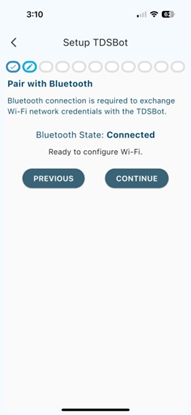
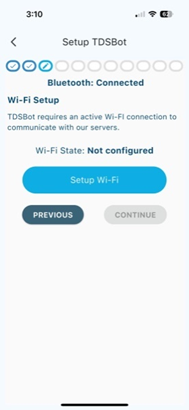
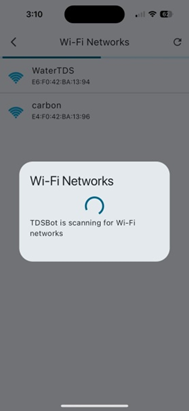
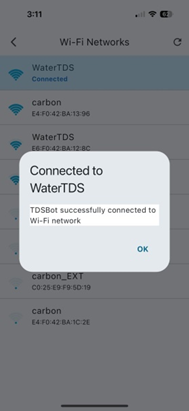
4] Next steps will guide you through configuring your water purifier or other use cases for the TDSBot. There are 3 ways you can use the TDSBot – Connected to a water purifier, Connected to a flowmeter only, Connected to 1 or 2 TDS probes only. Please select the appropriate use case. If you selected Connected to a water purifier, we will help you choose the right system. We are constantly adding more systems, so if you do not find your system, please support@watertds.com to get that added.
Next you will
select the manufacturer and the model of your water purifier. You will be asked
to enter the purchase date. Default is today.
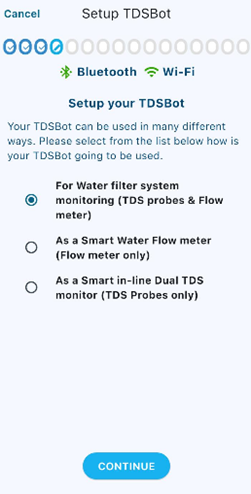
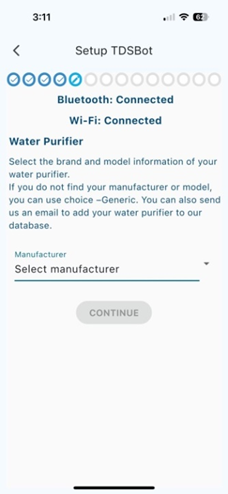
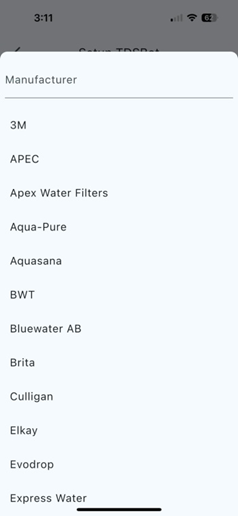
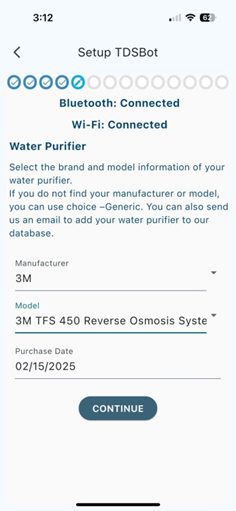
Based on the model of your system, additional parameters are presented for you to set up the system configuration – Default size/model of the flowmeter, type of constant to be used to convert the conductivity to PPM, position of probes. Enter water filter system last service details. (Used to calculate filter life left)
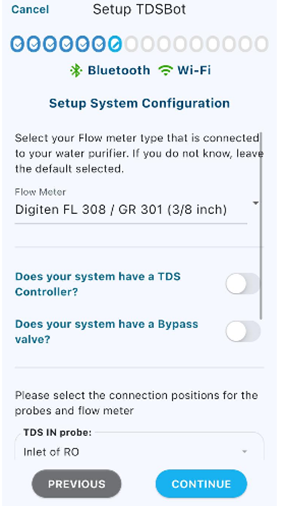
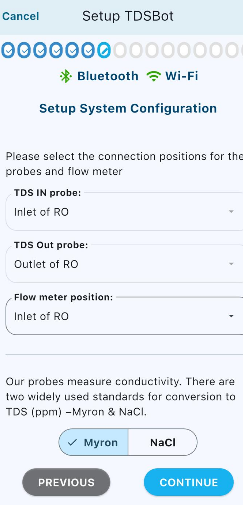
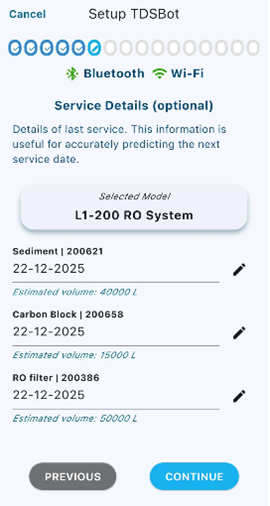
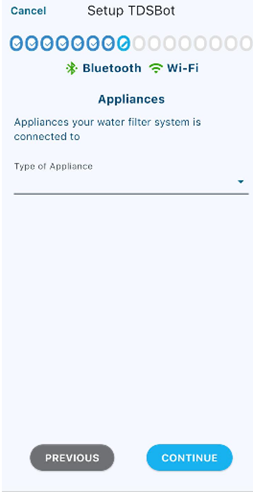
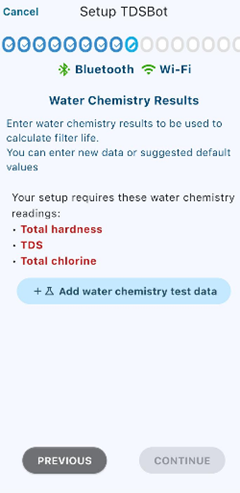
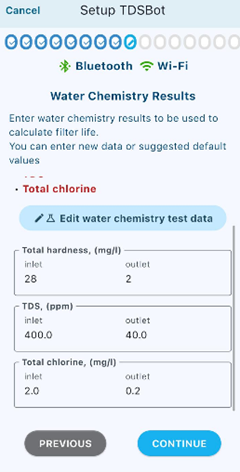
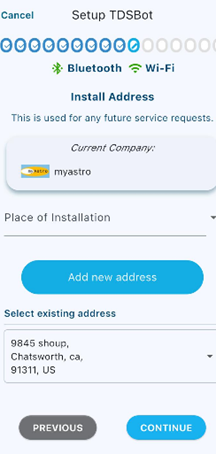
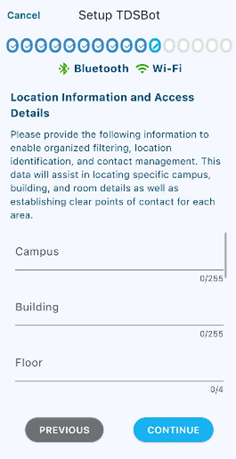
On the next screen we ask you to enter the appliance type the system is delivering water to. This will help monitor hardness, and other contaminants to be used for determining filter life and debugging system remotely. Next you have the opportunity to either enter manually tested water chemistry, rate of production, initial pressure etc. for your records and use for analytics and filter life calculations.
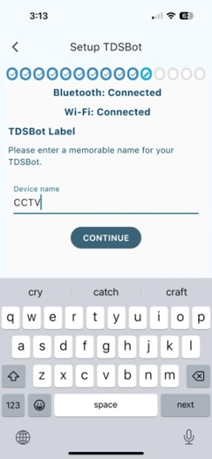
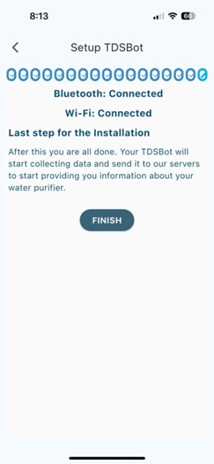
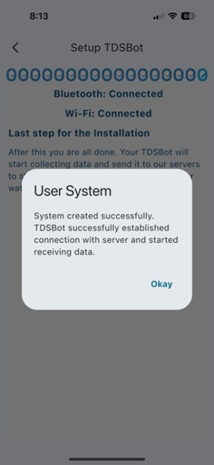
You are all done. The default dashboard for
the currently installed TDSBot will be shown. If you selected Daily update, the
TDSBot will send start sending data from the day after installation.
Έχετε ακόμη
μια ερώτηση;
Η ομάδα απαντά συνήθως μέσα σε μία εργάσιμη ημέρα.
Cookies. Ορισμένα κρατούν τον ιστότοπο σε λειτουργία. Τα cookies στατιστικών ενεργοποιούνται μόνο αν το επιτρέψετε, και δεν χρησιμοποιούμε διαφημιστικά cookies. Μπορείτε να αλλάξετε την επιλογή σας οποιαδήποτε στιγμή στην Πολιτική cookies.
© 2020 - 2026 Water TDS Inc. Με την επιφύλαξη παντός δικαιώματος.